0:12
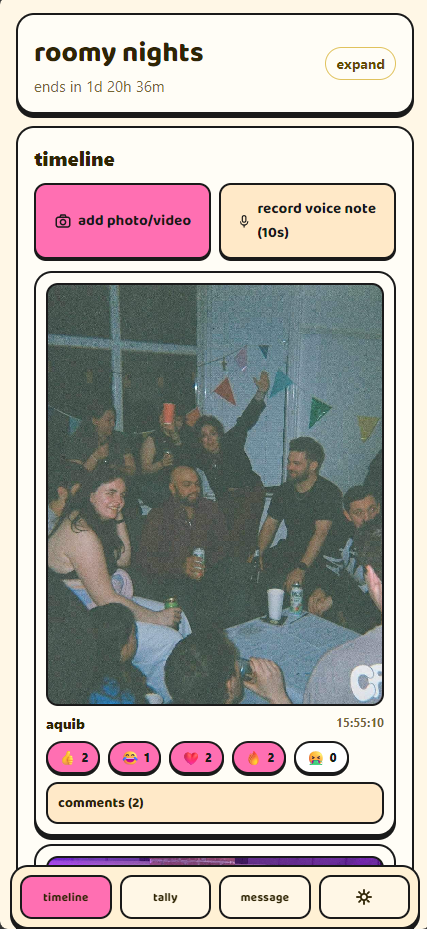
😂 8🩷 12🔥 5
guest 07the timing of this 😂
hostsaving this immediately
 roomy
roomy
Private digital rooms for real-life parties
Open it for the night. Friends join by code to share photos, videos, voice notes and comments, react in real time, and count the chaos together. When the timer ends, posting closes—and the host can take the whole night home.
Why Roomy
The photos end up in twelve camera rolls. The best jokes disappear in a chat. Public social media feels too public. Roomy gives the night one private place while it is actually happening.
Great for “where are we?” Less great for the hundreds of photos, reactions and jokes that get buried.
Built for coordinationUseful storage after the event, but it gives everyone very little to do while the party is live.
Built for storageA live, private timeline with voice notes, reactions, comments and tallies—made to end with the event.
Built for the partyThree simple steps
Name it, choose when it ends, and share the link, QR code or room code.
Post photos, videos and voice notes. Comment, react and update live tallies together.
When the timer reaches zero, new activity stops. The host exports the room in one go.
Inside the room
See the night through everyone else’s eyes while it is still happening.
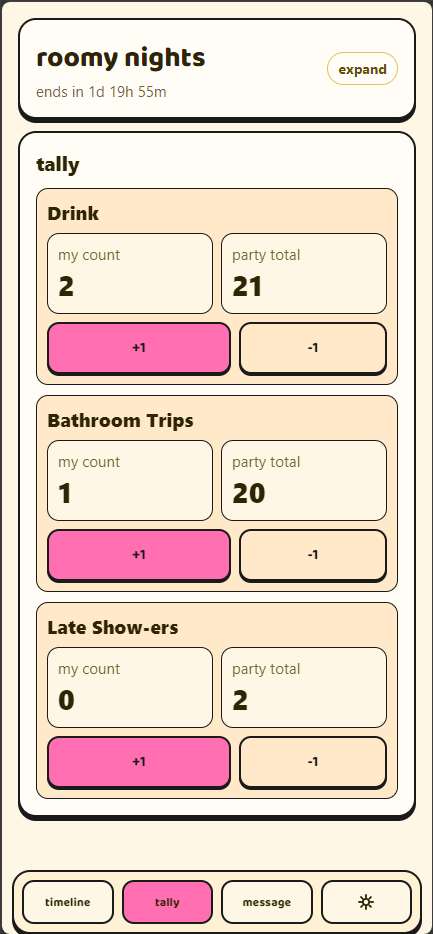
Build a tally for anything, then watch the whole room update it together in real time.
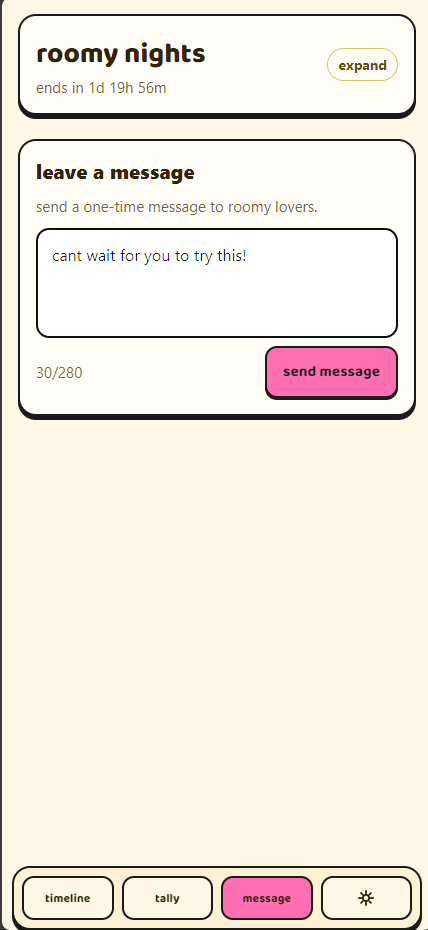
Comment, react and leave quick voice notes without posting to a public feed.
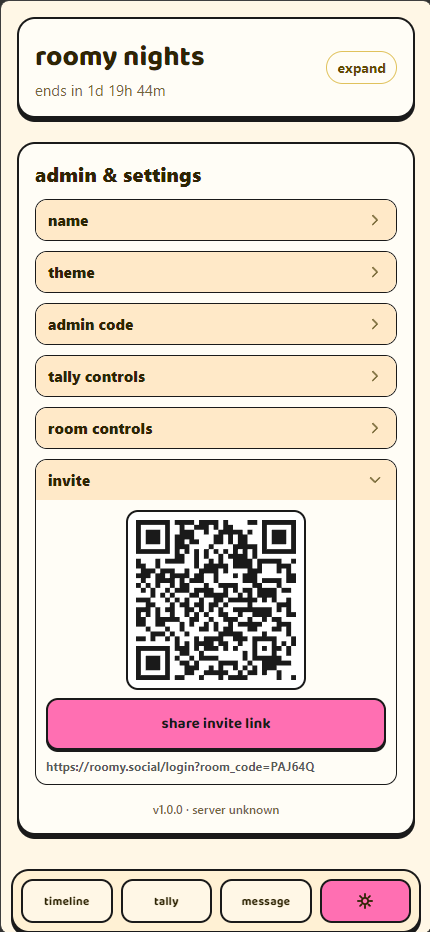
Set the end time, manage the room, moderate content and export its media and messages.
Made for real-life plans
Stop chasing photos across twenty camera rolls. Give every guest the same place to add their angle as the night unfolds.
Keep the live jokes, spontaneous voice notes and “where did everyone go?” moments out of a forever group chat.
Collect the different groups, speeches and throwbacks in one private room before everyone heads home again.
Share the fun without mixing it into work chat—or asking everyone to post the night on a public company feed.
Privacy + control
There is no public profile or searchable feed. People enter with the private link, QR code or room code and a nickname. The host has the admin controls and the host-only export action.
Invited guests can view and contribute. The host can hide posts or comments and remove or ban participants.
Posting, comments, reactions, voice notes and tally updates lock. The room becomes read-only.
The host can use the admin-authorized export to download the room’s confirmed media and room messages.
The room record and uploaded files are automatically deleted. It is a room for this event—not another permanent feed.
Roomy, your way
Roomy works right now in your browser with no download required. Ad-free iOS and Android apps are being built for an even smoother party experience, with notifications to help everyone keep up while the room is live. The browser is staying, too.
An ad-free app experience with notifications to help you catch new posts, comments and room activity.
Coming soonThe same private, ad-free Roomy experience, with helpful live-room notifications on Android.
Coming soonOpen a room, share the code and join from any modern browser. No app or account needed.
Open RoomyThe useful bits
No. Roomy works in the browser and guests join with a nickname, so there is no account setup between them and the party. The upcoming iOS and Android apps will be optional.
The host shares a private link, QR code or six-character room code. Guests enter the room code and choose a nickname.
New activity stops and the room becomes read-only. The host then has 24 hours to export it before the room and uploaded files are automatically deleted.
The Roomy export is protected by the host’s admin code. The current ZIP contains confirmed photos, videos and voice-note files, plus room messages.
Yes. Host controls can hide posts and comments, kick a participant, or ban them from rejoining that room.
Anything the group wants: dance-offs, song requests, dares, late arrivals, bathroom trips, drinks—or your own very specific inside joke.
Content stays available through the live room and its 24-hour host export window. After that window, the room data and uploaded files are automatically deleted.
Both apps are currently being built. They will offer an ad-free experience with notifications to help guests catch new activity while a room is live. The browser version is available now and will remain available after the apps launch.
Yes. Creating a Roomy room in the browser currently starts free. App launch details will be shared when the iOS and Android builds are ready.
Your people are invited
Open a private room, invite your people, and let the night fill itself.
Create a room